Best Free Backup Program for Windows to an External Drive
The best free backup program for Windows for external drive backups: Veeam Agent Free, SyncBack Free and Restic compared, plus file versus image backup.
Overview
Several reliable free backup programs for Windows can protect your computer files, restore them on a new PC and leave the existing contents of your external drive alone.
What most Windows users need
Backup to an external USB drive
Restore files on a new or reset computer
No deletion of existing external drive data
Automatic scheduled backups
A simple interface without enterprise complexity
Those were the requirements raised in the discussion.
Top free backup programs for Windows
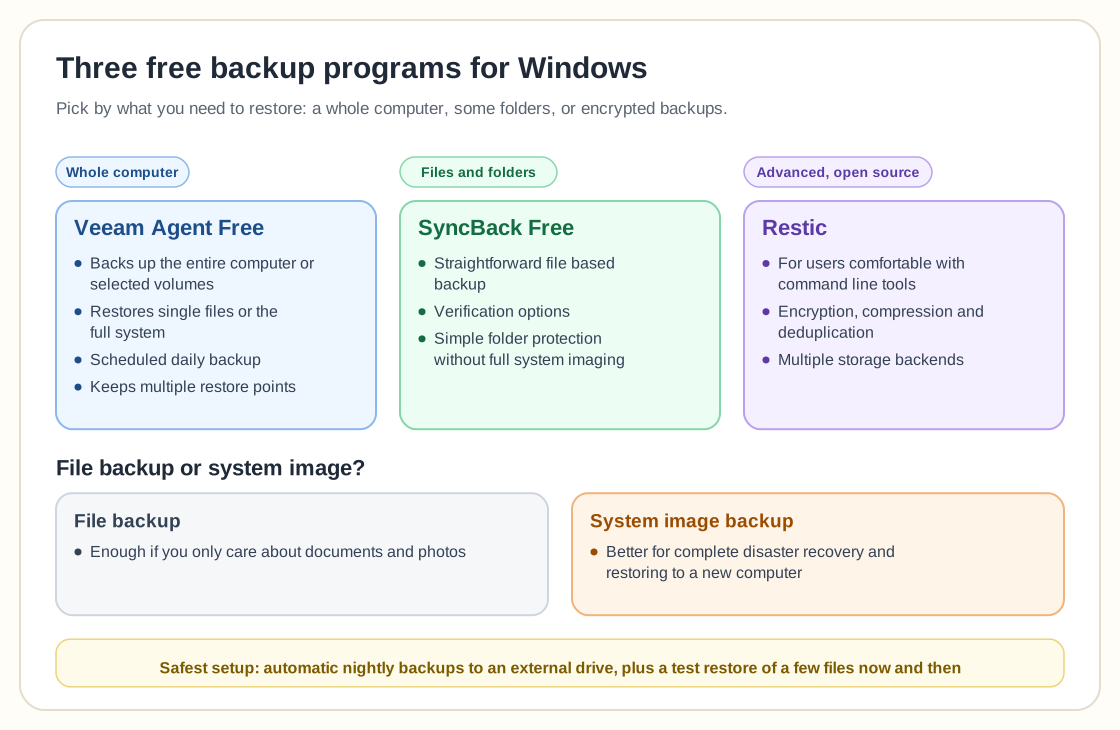
1. Veeam Agent for Microsoft Windows (Free)
Backs up entire computer or selected volumes
Restores single files or full system
Supports scheduled daily backup
Keeps multiple restore points
Does not delete unrelated data on the external drive
It works much like Windows Backup, with more control and more reliable recovery options.
2. SyncBack Free
A straightforward file based backup tool with verification options. It suits users who want simple folder protection without full system imaging.
3. Restic (advanced, open source)
Restic suits users who are comfortable with command line tools. It supports encryption, compression, deduplication and multiple storage backends.
Why Windows Backup sometimes fails
Windows Backup can hang because of shadow copy errors, disk read issues or a corrupted system state.
If troubleshooting drags on, switching to a dedicated free backup program for Windows is often faster and more reliable.
Frequently asked questions
1. Will a free backup program delete data on my external drive?
No. Reputable tools create their own backup folder or container and do not erase unrelated files.
2. Can I restore files to a new computer?
Yes. Most free Windows backup tools can restore to new hardware, image based tools in particular.
3. Is file backup enough, or do I need system image backup?
If you only care about documents and photos, file backup is enough. For complete disaster recovery, system image backup is better.
4. What is the safest setup?
Schedule automatic nightly backups to an external drive, and now and then test restoring a few files to check that the backup is intact.
Related guides
More from the backup hub on the same topics.
Need help with backup and recovery?
Use the form below to get in touch about backup strategy, recovery planning, and data protection projects.